 Easy BACnet
A vendor asked for my BACnet information — what do I send them?
Updated 11 October 2026
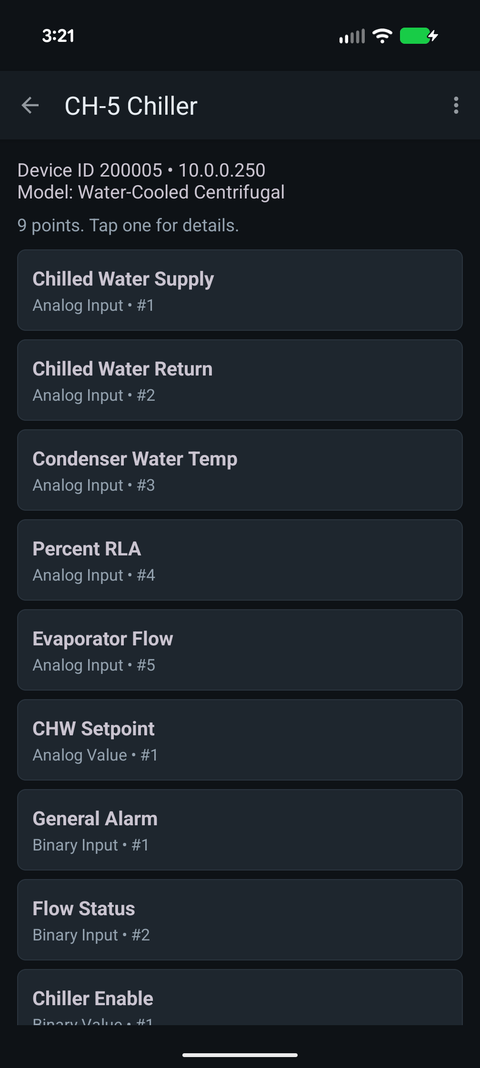
Usually four things: a points list (device, object type, instance and name for each point), the device instances and IP addresses of the controllers, the network layout (subnets, BACnet routers, MS/TP trunks, any BBMD), and whether they're getting read-only or read-write access. An export from a network scan covers the first two.
The checklist
- Points list. Device, object type, object instance, point name, current value and units. This is most of what they need. See what a points list is and how to produce one.
- Device instances. Every BACnet device has a Device ID that should be unique on the site. Integrators map by that number, so a list of names alone will come straight back to you.
- IP addresses and port. Which subnet the controllers are on (say 10.20.30.0/24) and whether they use the standard UDP 47808.
- Topology. Is everything on one IP subnet, or are some devices on MS/TP trunks behind BACnet routers? Is there a BBMD, and at what address? If the vendor's gateway or VPN lands on a different subnet, this decides whether their discovery works.
- Access. Say plainly whether they get read-only or will be commanding points. If they'll write, agree on the priority they use up front. Integrations writing at the wrong priority, and never releasing, are a common source of stuck equipment. See BACnet priority and stuck overrides.
- A contact. Whoever maintains the controls, so the vendor
can ask what
AHU1_MAD_Omeans instead of guessing.
The fastest way to produce it
If your documentation is current, send it. If not, a scan gets you items 1 and 2
in a few minutes. With Easy BACnet, connect the phone to
the controls network, scan, export, and email the Excel file (.xlsx) to
the vendor. The export has a device summary on top, then one row per point with
Device ID, Device Name, Device IP, Object Type, Object Number, Point Name, Present
Value, Units and Status.
Things to watch
- Don't put the controls network on the internet to make a vendor's life easier. If they need remote access, give them a VPN account you can shut off.
- Send it to a person. A points list isn't secret on its own, but together with remote access it's a full description of what can be commanded. Email a named contact, not a shared inbox.
- Treat write access as a scheduled job. Read-only integration is low risk. Commanding a live plant deserves a window and someone on site.
- Check for duplicate Device IDs first. Two devices with the same instance will break the vendor's mapping and cost a site visit. Easy BACnet warns about duplicates after a scan.
A reply template
Attached is a points list (Excel) from a live scan on [date].
It covers [N] BACnet IP devices on subnet [10.20.30.0/24], UDP 47808.

Columns: Device ID, Device Name, Device IP, Object Type,
Object Number, Point Name, Present Value, Units, Status.

Topology: [all devices on one IP subnet] / [VAV controllers
20101-20124 are on MS/TP network 201 behind the router at 10.20.30.5].

Access: read-only for now. If you need write access, we'll schedule
a window and agree on a priority.

Technical contact: [name, email].
Check it on your own network. Easy BACnet is a free Android app that finds BACnet IP devices and reads their points in a couple of taps.
Get it on Google Play