 Easy BACnet
Why is my BACnet point stuck, and how do I release an override?
Updated 11 October 2026
A value written to a commandable BACnet point is held at the
priority it was written at until something releases it. It doesn't time out, and
closing or disconnecting the tool that wrote it changes nothing. To release it,
write NULL to Present_Value at the same priority
that's holding the point. Control then drops to the next occupied priority, or to
Relinquish_Default if nothing else is commanding it.
How the priority array works
Commandable objects have a Priority_Array of 16 slots. Analog,
Binary and Multi-state Outputs are always commandable; the matching Value objects
often are, but not always. Slot 1 is highest, 16 lowest. Present_Value
is whatever sits in the lowest-numbered slot that isn't NULL. When every slot is
empty the object uses Relinquish_Default.
| Priority | Standard meaning |
|---|---|
| 1 | Manual Life Safety |
| 2 | Automatic Life Safety |
| 5 | Critical Equipment Control |
| 6 | Minimum On/Off |
| 8 | Manual Operator |
| 3, 4, 7, 9–16 | Available; each vendor and integrator uses them their own way |
Head-ends and programs use different slots. Operator overrides from a front end usually land at 8, and control logic and schedules commonly write somewhere in the 9–16 range. A WriteProperty that carries no priority goes to 16. Agree a priority with any integrator before they command anything.
Why the point is stuck
Someone wrote at a priority and never released it. The usual suspects:
- A tech overrode a point at 8 during a service call and left it.
- A graphic has an override button but no obvious release.
- An integration that commands points stopped running and left its last value in place.
Read the priority array to see which slot is active. Priority 8 is almost always someone with a tool or a front-end override. 1, 2, 5 or 6 belongs to a safety or equipment-protection function: leave it alone and find out why.
A related case: the program is still writing at its usual slot, but a higher slot is outranking it. The logic looks broken when it isn't. Clearing the higher slot puts it back in control.
How to release it
Write NULL to Present_Value at the priority holding the
point. Writing a normal value at a lower priority doesn't help, because the higher
slot still wins, and writing NULL to an empty slot does nothing. Then re-read the
point and check it dropped to the next slot or to Relinquish_Default.
Release before you leave
A damper commanded to 100% to stroke-test the actuator stays at 100% until someone clears it, and nothing tells the operator it's overridden unless they look at the status flags or priority array. Release everything you commanded before you leave site.
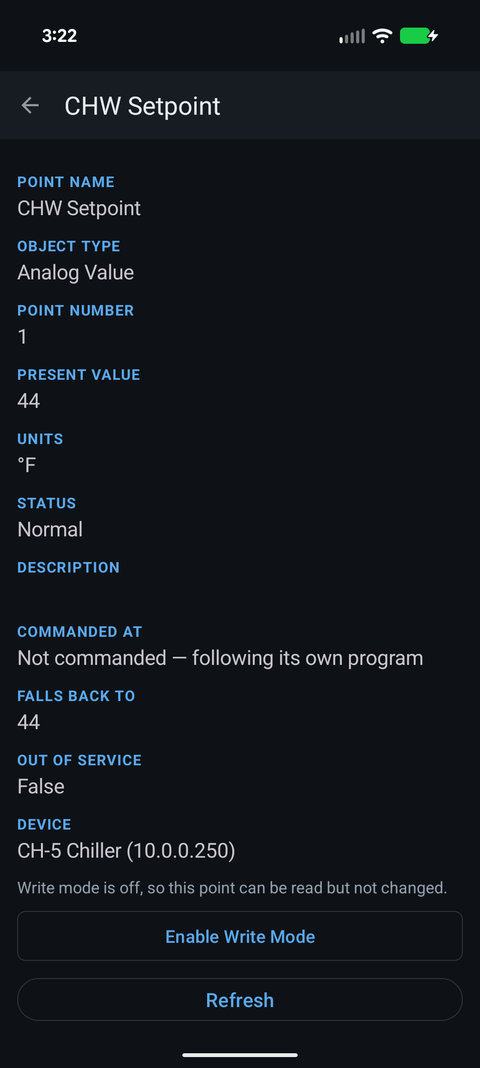
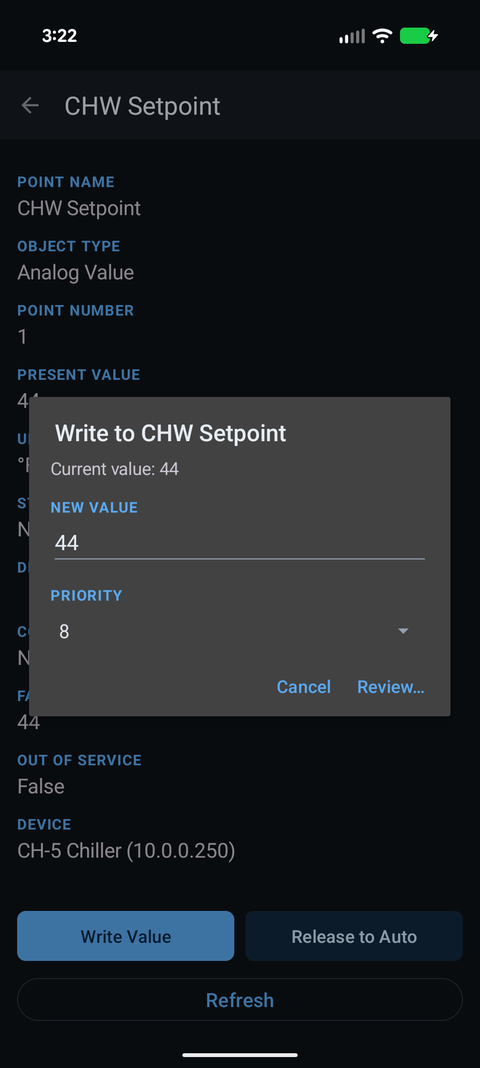
In Easy BACnet the point screen shows Commanded At (the active priority and its value) and Falls Back To (the relinquish default). With Write mode on, Release to Auto writes NULL to a priority slot that is actually held: it starts on the one you last wrote (or the one in control) and lets you pick if several are held. The Easy BACnet Mode menu → Session write log lists every write and release since the app started, so you can check nothing was left behind.
Check it on your own network. Easy BACnet is a free Android app that finds BACnet IP devices and reads their points in a couple of taps.
Get it on Google Play