 Easy BACnet
How do I find my BACnet IP points list?
Updated 4 November 2026
Five routes, roughly easiest first: ask your controls contractor
for the submittals or as-builts, export a point report from the BMS head-end,
look up the manufacturer's published list for the equipment, scan the network with a
BACnet IP discovery tool, or read the Object_List property from each
controller yourself. A scan is the one that shows what's actually on the network today
rather than what was drawn up at the start of the job.
1. Ask the controls contractor
Whoever installed or services the BAS usually has a points list in the submittals or as-built package, often as a spreadsheet. When it exists it's the quickest answer. Two catches: it describes the design, which isn't always what got installed, and it goes stale the first time someone adds a VAV or swaps a controller.
2. Export from the BMS head-end
Niagara (a JACE or Supervisor), Metasys, Desigo CC, EcoStruxure Building Operation, WebCTRL and the rest can all produce a point report or database export. Look under reports or the database/point manager views, not the graphics. You get what the head-end has mapped, which is usually a subset: anything nobody brought into the front end won't be there.
3. Look up the manufacturer's list
Packaged equipment (rooftops, chillers, boilers, VRF gateways, drives) ships with a fixed object list that the manufacturer publishes, usually in an integration guide rather than anything called a points list. It tells you what each instance means, which a scan can't. Our free points list library has hundreds of them searchable by model or controller; see finding the points list for your equipment for what to search for when it isn't there.
4. Scan the network
A scanning tool finds every BACnet IP device on the network you're connected to, then reads each one's list of points. It finds the undocumented controllers too.
You need:
- A connection on the same IP subnet as the controllers (typically a port on the controls switch or BAS VLAN), or a BBMD that will accept you as a foreign device.
- UDP port 47808 (0xBAC0) open between you and the devices. Some sites run a second BACnet network on 47809 or nearby.
- Permission. A scan only reads, but it's still someone's production control system.
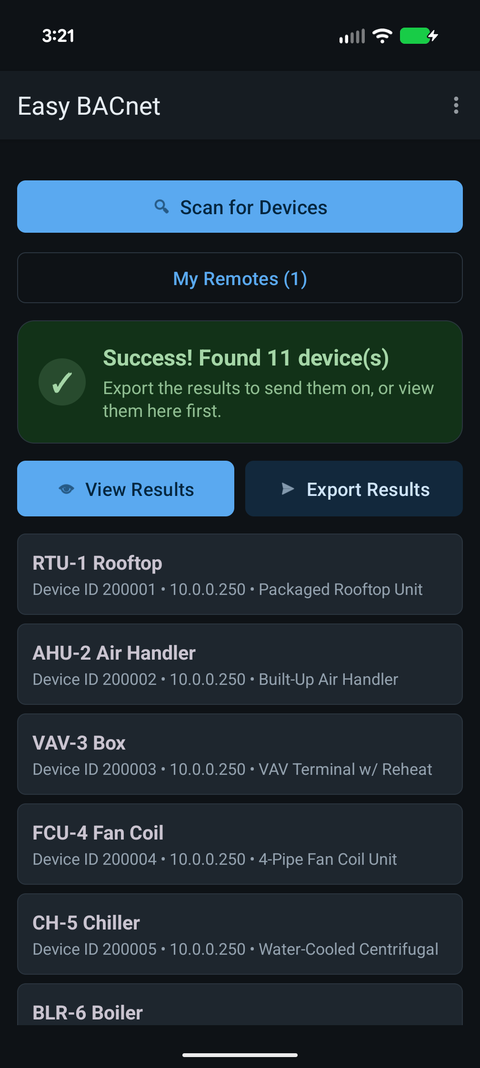
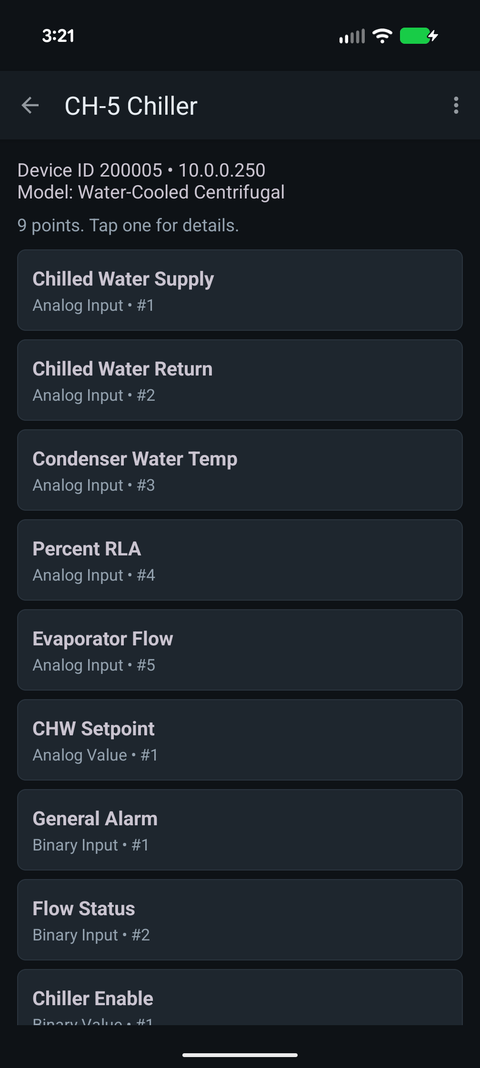
Easy BACnet does this from an Android phone. Plug a
USB-C Ethernet adapter into the controls switch (or join the controls Wi-Fi if the
site has one), tap Scan for Devices, then Export
Results. It reads every point on each device it found and builds an Excel
spreadsheet (.xlsx) you can email from the phone.
5. Read Object_List directly
If you're writing your own tooling: every device object has an
Object_List property (property ID 76) listing every object on that
device. Read array index 0 to get the count, then each index in turn, then
Object_Name (77) and Present_Value (85) for each object you
care about.
Reading index by index matters. Plenty of controllers and gateways don't support
segmentation, so asking for the whole Object_List in one read fails
once the list is too big for a single packet. A few devices reject the indexed
read, so it's worth falling back to the whole-array read when that happens. Easy
BACnet does both, and stops auto-loading at 2,000 objects on very large devices.
If the scan finds nothing
That's common, and it's almost always the network rather than the controllers. See why can't I find my BACnet IP devices.
Check it on your own network. Easy BACnet is a free Android app that finds BACnet IP devices and reads their points in a couple of taps.
Get it on Google Play