 Easy BACnet
How do I export a BACnet IP points list to Excel or CSV, and what is an EDE file?
Updated 4 November 2026
Scan the network, then export. Easy BACnet
reads every point on every device it found and builds an Excel spreadsheet
(.xlsx): a device summary at the top, then one row per point with Device ID,
Device Name, Device IP, Object Type, Object Number, Point Name, Present Value, Units and
Status. Your phone's share sheet opens so you can email it or save it to Drive or Files.
The app does not write CSV directly; open the file in Excel or Google Sheets and save it
as CSV if that is what was asked for. An EDE file (Engineering Data
Exchange) is a fixed-column CSV layout used to import points into another BACnet tool or
head-end.
What people mean by “a points list”
When an integrator, an analytics vendor or a new service contractor asks for a points list, they want a table of what is on each controller: object name, object type and instance, and usually the live value and units. BACnet devices can be asked what objects they contain, so the list can be read off the devices instead of dug out of old submittals. See what is a BACnet IP points list?
Step by step: collect and export from a phone
- Get on the controls network. Usually a USB-C Ethernet adapter into the controls switch or BAS VLAN, with an IP in the controls range.
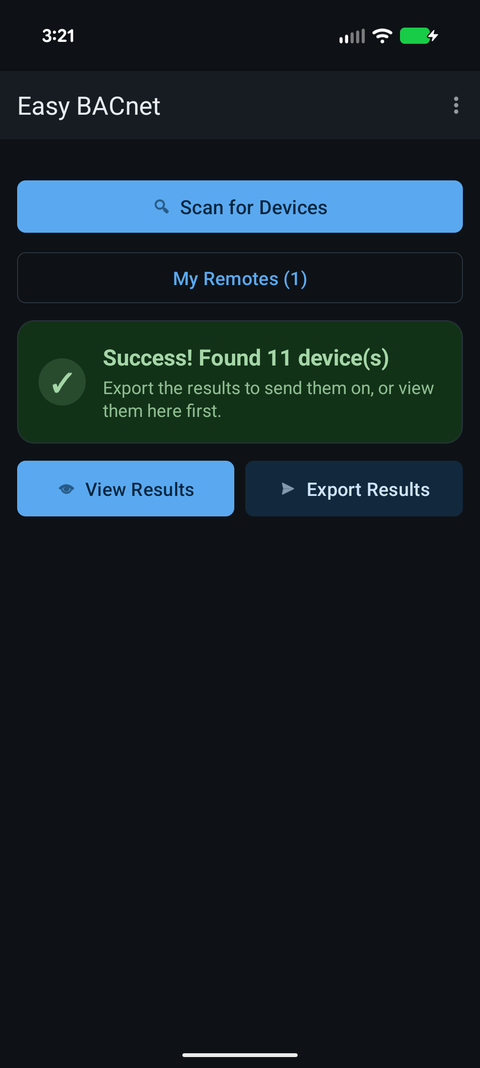
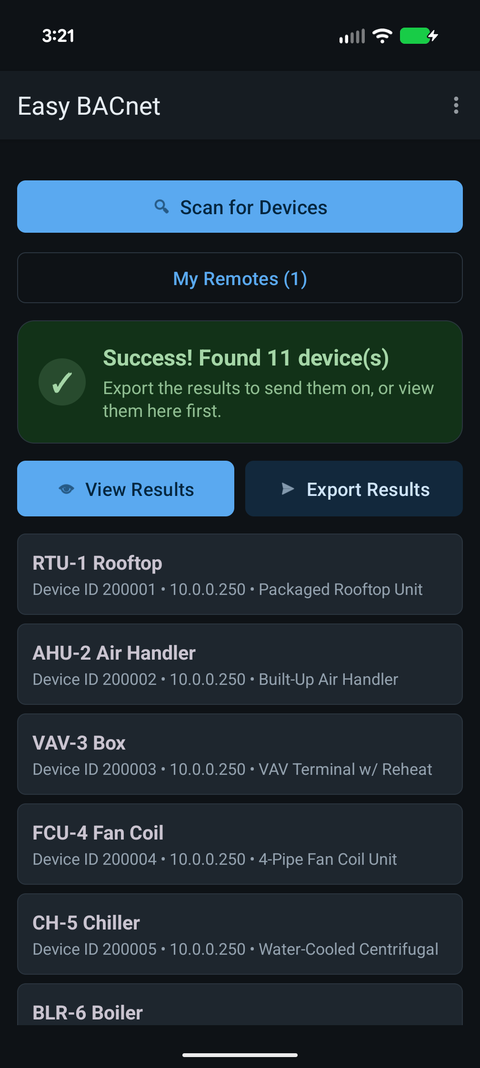
- Scan. Open Easy BACnet, tap Easy BACnet Mode, then Scan for Devices. Wait for Success! Found N device(s) (up to a minute). For controllers on other subnets, add them with menu → Add device by IP… or set BBMD for remote networks… and scan again. Everything in the device list is exported.
- Check it (optional). View Results lists every device; tap one to see its points. Very large controllers load the first 2,000 objects; reach a specific object beyond that with Add object by number.
- Export. Tap Export Results. On the free version you are asked Watch a short ad? first (Watch ad / Remove ads / Cancel); if no ad can load, the export just runs. The app re-reads each device's object list and every present value, one property at a time; the progress box shows Point list: x of y then Values: x of y for each device. A site with big MS/TP controllers takes a while. Stay connected until it finishes, or tap Cancel.
- Share or save. The share sheet opens (Send export by email)
with
EasyBACnet_YYYYMMDD_HHMM.xlsxattached, the subject BACnet IP Export plus the date, and a line giving the device and point counts. Pick an email app and add the recipient, or pick Drive, Files or a messenger. Nothing is sent until you send it.
What the spreadsheet contains
One sheet with two tables:
| Section | Columns |
|---|---|
| Device summary (top) | Devices Found count, then per device: Device ID, Device Name, Device IP, Points (how many) |
| Point detail (below) | Device ID, Device Name, Device IP, Object Type, Object Number, Point Name, Present Value, Units, Status |
- Each device gets a bold row of its own in the detail table (Object Type Device), so every controller and its IP is listed even if it returned no points.
- Any point whose Status is not Normal (in alarm, fault, overridden or out of service) is shaded red.
- Device IDs, object numbers and counts are stored as numbers, so sorting and filtering work straight away. Present values keep the app's formatting (e.g. Active (On) for a binary point) and units use short symbols such as °F, % RH or kW.
- Descriptions and priority arrays are not exported; open a point in the app to see those.
Need a CSV?
Open the .xlsx in Excel and use File → Save As → CSV UTF-8
(Google Sheets: File → Download → CSV). If you only want the point detail,
delete the summary rows above the detail header first so the file has a single header row,
which is what most import tools expect.
Excel/CSV versus EDE
| Easy BACnet export | EDE file | |
|---|---|---|
| What it is | A plain table of the network's devices, objects and live values | A CSV in a fixed column layout meant for importing |
| Opens in Excel | Yes (.xlsx; save as CSV if needed) | Yes |
| Best for | A site survey, a vendor request, records, troubleshooting | Bulk-importing points into another BACnet tool, head-end or analytics platform |
| Contains | Names, live values, units, status, object IDs, device IPs | Device and object names, object type and instance, description, settable, COV support, unit code, state-text references and similar engineering fields |
EDE came out of the European BACnet Interest Group as a common way to hand a point list between tools. If someone specifically asks for “an EDE”, they mean that layout. If they just say “send me the points”, a spreadsheet with clear names and values is usually what they want, and it can be reshaped into an EDE template later if needed. For packaged equipment, the lists in our points list library can each be downloaded as an EDE file.
An export read from the live devices shows what the controllers actually contain today, which is often not what the original submittal says. See a vendor asked for my BACnet information.
Privacy
The export is built on your phone and kept in the app's private cache; the app has no server and sends nothing itself. Once you share it, it goes wherever you send it. A points list is a map of a building's controls, so send it to a named person, not a shared inbox. Details are in the privacy policy.
Check it on your own network. Easy BACnet is a free Android app that finds BACnet IP devices and reads their points in a couple of taps.
Get it on Google Play